Elevating Your Dining Space with a Professional Restaurant Food Menu Roll Up Banner
In the competitive landscape of the food and beverage industry, first impressions are not just important; they are everything. Before a customer even tastes your signature dish or experiences your hospitality, they engage with your visual branding. Among the most versatile and impactful tools for capturing attention is the Restaurant Food Menu Roll Up Banner. These standing displays serve as silent salespeople, guiding patrons through your offerings while reinforcing your brand identity. However, the effectiveness of such a banner hinges entirely on the quality of its design and the flexibility of its source files.
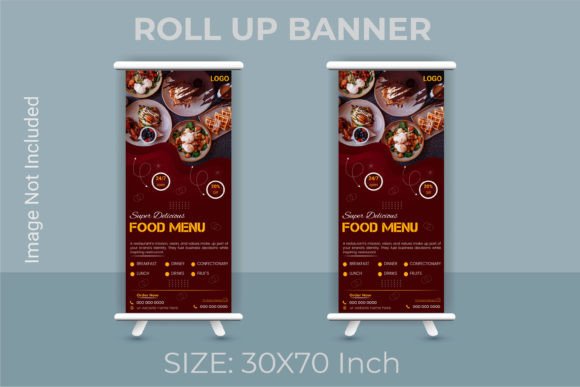
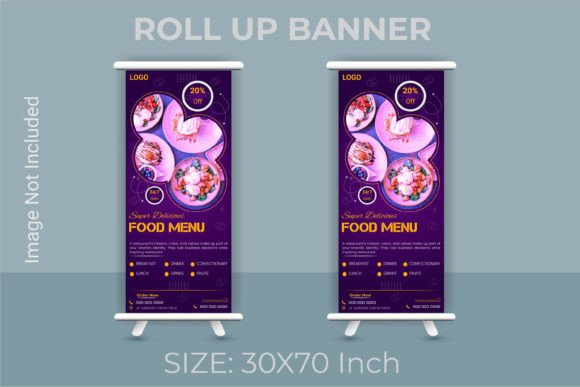
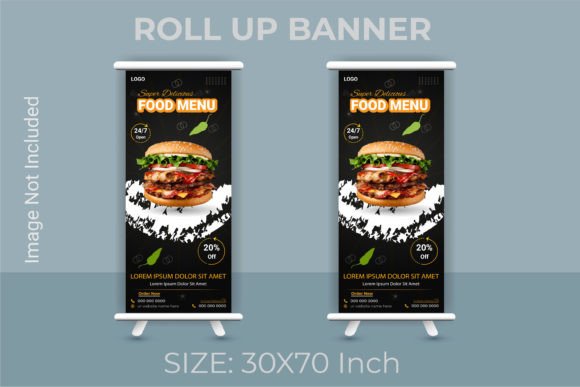
When investing in physical marketing materials, the foundation lies in the digital blueprint. A high-quality template designed specifically for a Restaurant Food Menu Roll Up Banner offers more than just a pretty layout; it provides a structured, professional framework that ensures your final print product looks impeccable. The standard dimensions for these banners often hover around 30x70 inches, a size that is tall enough to be seen from across a room yet compact enough to fit comfortably near host stands, entrances, or beside tables without obstructing foot traffic.
The Critical Importance of Print-Ready Specifications
One of the most common pitfalls in creating promotional signage is neglecting the technical requirements of professional printing. A design that looks vibrant on a laptop screen can appear pixelated, blurry, or color-shifted when printed if the underlying file specifications are incorrect. This is where a professionally engineered template becomes indispensable. For a Restaurant Food Menu Roll Up Banner, the resolution must be set to 300 DPI (dots per inch). This density ensures that every letter of your menu descriptions and every graphic element remains crisp and sharp, even when viewed from close range.
Furthermore, color management is vital. While screens display colors using the RGB (Red, Green, Blue) light model, professional printers often work within CMYK frameworks. A well-prepared design file acknowledges this transition, ensuring that the vibrant reds of your tomato sauce or the fresh greens of your salad do not turn muddy during the printing process. By starting with a file optimized for high-resolution output, you eliminate the guesswork and guarantee that the physical banner matches your vision.
Another technical nuance that separates amateur designs from professional ones is the bleed setting. In the context of a 30x70 inch banner, an extra bleed setting of 0.5 inch is crucial. Bleed refers to the area of the design that extends beyond the final cut edge of the paper or vinyl. Without this extra margin, there is a risk of unsightly white borders appearing on the edges of your banner if the cutting machine shifts even slightly. A template with pre-configured bleed settings ensures that your background colors and images run all the way to the edge, providing a polished, seamless finish.
Customization: The Key to Brand Consistency
No two restaurants are alike, and a generic, one-size-fits-all menu rarely suffices. The true value of a premium template lies in its easy customizable and editable design. Whether you run a cozy coffee shop, a bustling burger joint, or an upscale fine dining establishment, your menu banner must reflect your unique atmosphere. High-quality files allow you to modify every aspect of the design to align with your brand guidelines.
When you access the source files, typically provided in AI (Adobe Illustrator) and EPS formats, you gain complete control. These vector-based formats are superior for signage because they allow elements to be scaled infinitely without losing quality. In a well-organized file, text, fonts, and colors are fully editable. You can swap out the placeholder menu items for your daily specials, change the font to match your logo's typography, and adjust the color palette to mirror your interior decor.
Moreover, the structure of these files matters immensely. Professional templates feature grouped and layered elements. This means that background textures, image placeholders, text boxes, and decorative icons are separated into distinct layers within the software. This organization allows you to toggle visibility, move elements around, or edit specific sections without accidentally disrupting the rest of the layout. For instance, if you want to update just the price of your entrees without moving the headers or the background graphics, a well-layered file makes this task instantaneous rather than a frustrating ordeal.
Workflow Efficiency for Restaurant Owners and Designers
Time is a scarce resource in the restaurant industry. Owners and managers often juggle inventory, staffing, and customer service, leaving little time for complex graphic design work. Similarly, freelance designers working with restaurant clients need to deliver high-quality assets quickly. Utilizing a template that requires a minimum version of Adobe Illustrator CS6 or above ensures compatibility with a wide range of software versions, making it accessible to both seasoned professionals and those with slightly older setups.
The inclusion of free fonts in the design package is another significant advantage. Licensing commercial fonts can be expensive and legally complicated. By using freely available typefaces that still maintain a high aesthetic standard, the template removes barriers to entry. You can install the font, open the file, and begin editing immediately without worrying about additional costs or copyright infringements.
Consider the scenario of a seasonal menu change. With a rigid, flat image file (like a basic JPEG), updating your menu would require recreating the entire design from scratch. However, with an editable AI or EPS file, you can simply click on the text layer, type in the new seasonal dishes, and save. This agility allows restaurants to keep their marketing materials current and relevant, promoting summer salads in July and hearty stews in December with minimal effort.
Understanding the File Deliverables
When acquiring a design asset for a Restaurant Food Menu Roll Up Banner, understanding what is included in the download is essential for a smooth production process. A comprehensive package typically includes three distinct file types, each serving a specific purpose in your workflow:
- 1 AI File: This is the native Adobe Illustrator file. It contains all the editable vectors, layers, and groups. This is the file you will use to make your changes, swap images, and tweak colors. It preserves the full editing capability of the design.
- 1 EPS File: The Encapsulated PostScript file is a universal vector format. It is highly compatible with various graphic design software beyond Illustrator, such as CorelDRAW or Inkscape. It ensures that even if you don't have the latest version of Illustrator, you can still access and edit the vector data.
- 1 JPG File: This is a high-resolution raster preview. It is useful for quick viewing, sharing proofs with stakeholders who may not have design software, or uploading to websites as a digital representation of your physical banner.
It is important to note that while these files provide the structure and design elements, images are usually not included due to licensing restrictions. This gives you the freedom to choose high-quality photography of your own dishes. Using authentic photos of your actual food creates a stronger connection with customers than generic stock imagery. You simply place your own photos into the designated placeholders within the layered AI or EPS file.
Strategic Placement and Visual Impact
Once the design is finalized and sent to the printer, the physical Restaurant Food Menu Roll Up Banner becomes a powerful tool for spatial marketing. Its vertical orientation draws the eye upward, making it ideal for spaces with limited floor area but high ceiling visibility. Placing these banners at the entrance can entice passersby with images of your best-selling items. Inside the restaurant, they can be positioned near the ordering counter to highlight combo deals or upsell premium items.
The durability of the print also depends on the initial design quality. A 300 DPI file ensures that when the banner is printed on large-format vinyl or fabric, the ink distribution is precise. Poor resolution leads to banding or blurring, which can make a restaurant appear unprofessional or outdated. Conversely, a sharp, vibrant banner signals attention to detail and quality, subconsciously assuring customers that the same care is put into their food.
Furthermore, the modular nature of roll-up banners means they are portable. If your restaurant participates in food festivals, pop-up events, or catering gigs, having a branded menu banner that rolls up into a compact case is invaluable. The design you create once can be reused across multiple locations and events, maximizing the return on your design investment.
Making the Right Choice for Your Brand
Selecting the right template involves more than just picking a color scheme you like. It requires evaluating the technical robustness of the file. Does it have the necessary bleed? Are the layers logically named and grouped? Is the resolution sufficient for large-scale printing? These factors determine whether the final product will elevate your brand or detract from it.
A well-executed Restaurant Food Menu Roll Up Banner bridges the gap between your culinary artistry and your customer's perception. It tells a story before a single word is spoken. By leveraging editable, high-resolution, and professionally organized design files, you ensure that this story is told clearly, beautifully, and effectively. Whether you are launching a new location or refreshing an existing one, the power of a customizable, print-ready banner cannot be overstated. It is an investment in clarity, professionalism, and ultimately, the success of your dining establishment.