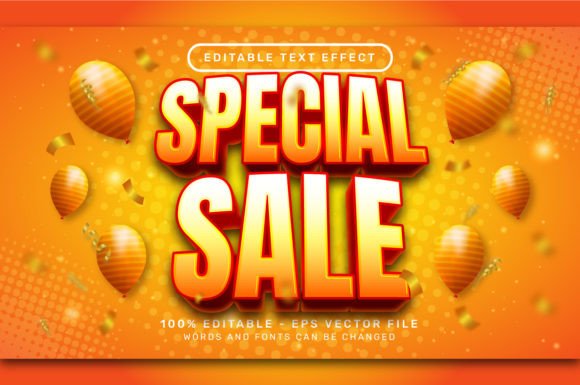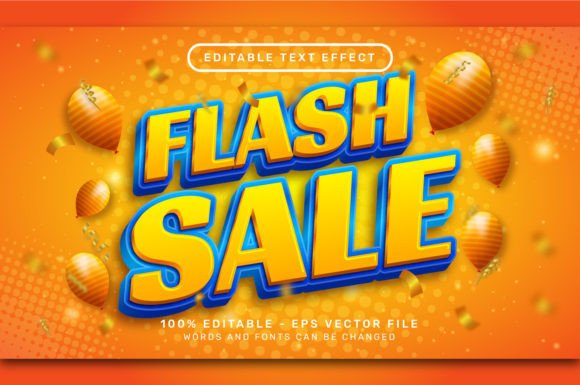
Evaluating the Flash Sale 3D Text Effect for Adobe Illustrator
In the fast-paced world of digital marketing and e-commerce design, visual hierarchy is critical. Designers are constantly tasked with creating assets that grab attention immediately, particularly for time-sensitive promotions. The Flash Sale 3D Text Effect has emerged as a specific stylistic solution within the Adobe Illustrator ecosystem, designed to address the need for high-impact typography without the steep learning curve associated with traditional 3D modeling. This article evaluates the utility, technical specifications, and practical applications of this editable text effect to help designers determine if it aligns with their current workflow and project requirements.
Understanding the Asset and Its Functionality
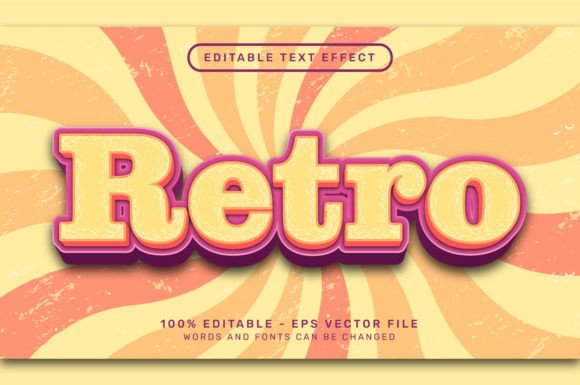
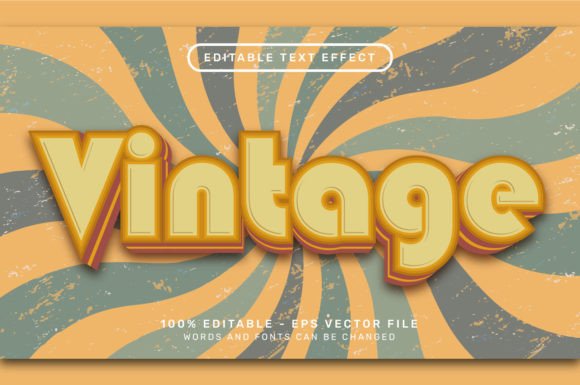
The Flash Sale 3D Text Effect is essentially a pre-configured graphic style package for Adobe Illustrator. Unlike standard flat typography, this asset applies complex lighting, extrusion, and shading parameters to vector text, resulting in a three-dimensional appearance that suggests depth and urgency. The core value proposition lies in its editability. Rather than rasterizing text or manually adjusting anchor points to simulate depth, users can apply the style to any font and modify the content instantly.
Technically, these files are distributed as .EPS (Encapsulated PostScript) vectors, ensuring scalability without loss of quality. A typical package includes a high-resolution preview image, often around 7000 x 4000 pixels in .JPG format, allowing users to assess the visual output before implementation. The mechanism for application is straightforward: users select their text object and apply the saved graphic style via the "Window > Graphic Styles" panel in Illustrator. This process bypasses the need for manual creation of blends, gradients, or shadow layers, which are traditionally time-consuming to balance correctly.
Why Designers Choose Pre-Made 3D Effects
The primary driver for adopting a tool like the Flash Sale 3D Text Effect is efficiency. In a professional setting, time spent on repetitive styling is time taken away from conceptualization and layout. Creating a convincing 3D text effect from scratch requires a nuanced understanding of light sources, perspective, and color theory. For junior designers or those working under tight deadlines, achieving a polished look can be challenging.
Furthermore, consistency is a significant factor. When running a series of promotional banners across different platforms, maintaining a uniform 3D aesthetic ensures brand cohesion. Using a standardized graphic style guarantees that every headline shares the same depth, angle, and lighting characteristics, eliminating the variability that occurs when effects are built manually for each individual asset.
Key Benefits and Technical Advantages
One of the most notable advantages of this specific type of asset is its independence from external dependencies. Many Photoshop actions or Illustrator plugins require specific versions of software or additional texture maps to function correctly. In contrast, a well-constructed EPS file for a 3D text effect relies solely on native Illustrator features. As noted in standard specifications for these files, they typically require no additional textures, no actions, and no plugins. This makes them highly portable and compatible across different workstations, provided the user has a competent version of Adobe Illustrator.
The fully editable nature of the vector format is another critical benefit. Because the text remains live, designers can swap fonts or change copy without breaking the effect. If a marketing team decides to change a headline from "Flash Sale" to "Limited Offer," the 3D styling adapts automatically. This flexibility is superior to raster-based 3D renders, where any text change necessitates a complete re-rendering of the image.
Practical Considerations and Tradeoffs
While the convenience of pre-made 3D effects is evident, there are tradeoffs that designers must consider during the evaluation process. The most significant limitation is stylistic rigidity. A pre-set graphic style offers a specific look—usually optimized for bold, thick fonts that can support extrusion. Delicate script fonts or very thin sans-serifs may not render well with heavy 3D effects, potentially resulting in illegible or visually cluttered text. Users must evaluate whether the included style complements their existing brand typography or if it forces a deviation from brand guidelines.
Additionally, while the effect is editable, deep customization can sometimes be complex. If a user wishes to alter the angle of the extrusion or the specific color of the side walls independently of the face, they may need to expand the appearance or dive into the underlying gradient meshes. For users unfamiliar with Illustrator's deeper functionality, the "black box" nature of a graphic style can be limiting if the default output requires minor tweaks that are difficult to access without breaking the live text link.
Ideal Use Cases and Scenarios
The Flash Sale 3D Text Effect is particularly well-suited for specific scenarios where speed and visual impact are paramount. It is an excellent fit for:
- E-commerce Banners: Online stores requiring immediate eye-catching headers for seasonal sales, Black Friday events, or clearance promotions.
- Social Media Graphics: Platforms like Instagram and Facebook where bold, colorful text stops the scroll and communicates urgency.
- YouTube Thumbnails: Content creators who need high-contrast, dimensional text to improve click-through rates.
- Rapid Prototyping: Agencies needing to present multiple visual concepts to clients quickly without spending hours on manual detailing.
In these contexts, the ability to simply select text, apply a style, and export a high-resolution asset provides a substantial return on investment regarding time management.
When to Consider Alternatives
Despite its utility, there are situations where alternative approaches may be more appropriate. If a project demands a hyper-realistic 3D environment with complex interactions between light, glass, or metal materials, dedicated 3D software like Blender, Cinema 4D, or Adobe Dimension would yield superior results. Similarly, if the design requires unique, non-standard lighting that deviates significantly from the preset, building the effect manually or using a more advanced 3D tool offers greater control.
Moreover, for print projects with extremely strict color separation requirements, designers should verify that the gradients and blending modes used in the 3D effect translate accurately to CMYK. While vector EPS files are generally print-ready, complex transparency effects can sometimes cause issues with older RIP engines used in commercial printing.
Making the Decision
Deciding whether to integrate the Flash Sale 3D Text Effect into your workflow depends largely on your balance between customization needs and production speed. If your goal is to produce high-volume promotional materials with a consistent, professional 3D aesthetic, and you prioritize workflow efficiency over granular control of every light source, this asset is a strong candidate. The inclusion of high-resolution previews and the absence of plugin dependencies further lower the barrier to entry.
However, if your work involves highly bespoke typography where the 3D element must be uniquely tailored to specific artistic directions for every single project, the constraints of a preset style might feel restrictive. Ultimately, tools like these serve as force multipliers for designers, allowing them to focus on composition and messaging while relying on proven technical setups for stylistic execution. By understanding both the capabilities and the limitations of these editable text effects, designers can make informed choices that enhance their productivity without compromising creative integrity.