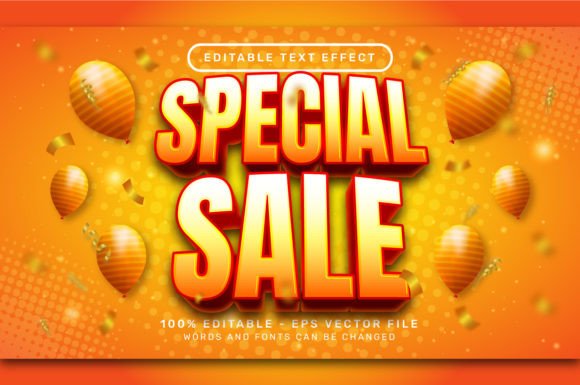
Evaluating the Value of a Special Sale 3D Text Effect for Adobe Illustrator Projects
In the fast-paced world of graphic design, efficiency often dictates the quality of the final output. Designers frequently face the dilemma of choosing between building complex assets from scratch or utilizing pre-made resources to meet tight deadlines. A Special Sale 3D Text Effect represents a specific category of digital asset designed to bridge this gap, offering immediate visual impact without the steep learning curve associated with advanced 3D modeling software. When evaluating these resources, particularly those formatted as editable EPS files for Adobe Illustrator, it is essential to look beyond the price tag and understand the technical implications, workflow benefits, and potential limitations compared to other design approaches.
Defining the Asset: Vector-Based Graphic Styles
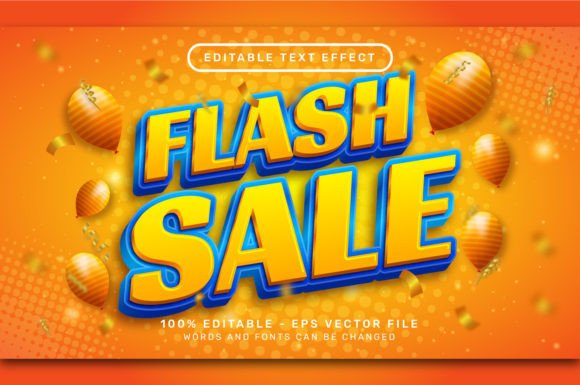
At its core, a 3D text effect sold as an EPS file is not a static image but a collection of vector data and graphic styles. Unlike raster-based effects found in Photoshop, which rely on pixels and can lose quality when scaled, these vector assets maintain crisp edges at any resolution. The specific product described in this evaluation includes a high-resolution JPG preview (7000 x 4000 px) for visualization, but the true value lies in the .EPS vector file.
What distinguishes this type of asset is its reliance on Adobe Illustrator's native "Graphic Styles" panel. Rather than requiring the user to manually adjust extrusion depths, bevels, lighting angles, and surface maps, the heavy lifting has been pre-calculated. The user simply types their desired text, selects the object, and applies the saved style. This process transforms flat typography into a dimensional object instantly. The absence of required plugins, actions, or external textures is a significant technical advantage, ensuring that the file remains lightweight and compatible across different versions of the software without breaking links or causing errors.
Workflow Comparison: Custom Creation vs. Pre-Made Styles
To make an informed decision about purchasing a special sale item, one must compare it against the alternative: creating the effect manually. Building a professional 3D text effect from scratch in Illustrator involves multiple steps. A designer must typically create the base text, apply the "Extrude & Bevel" effect, map custom artwork to surfaces if needed, expand the appearance to manipulate individual faces, and then meticulously craft gradients to simulate lighting and shadow. This process can take anywhere from twenty minutes to several hours, depending on the complexity of the desired look.
In contrast, utilizing a pre-made editable text effect reduces this timeline to seconds. The primary trade-off here is between customization control and speed. When you build from scratch, you have infinite control over every light source and angle. However, when using a graphic style from a sale bundle, you are working within the parameters set by the creator. For most commercial projects—such as social media graphics, YouTube thumbnails, or print headlines—the pre-set lighting and perspective provided by these assets are more than sufficient. The decision ultimately rests on whether the project requires a unique, bespoke 3D orientation or if a high-quality, standardized look will suffice.
The Advantage of Editability
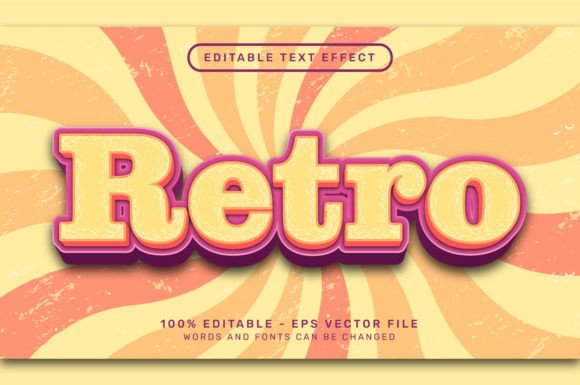
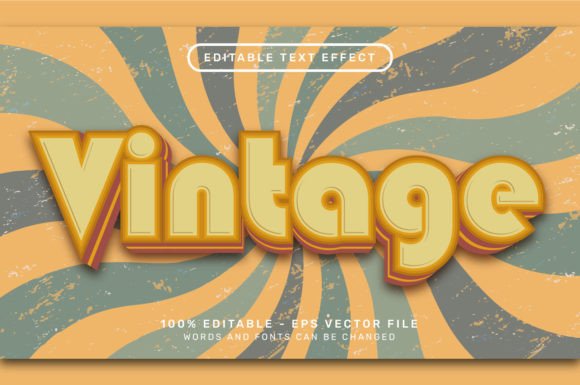
A common concern among designers regarding pre-made assets is the loss of editability. Many templates lock the user into specific phrases or fonts. However, the specific architecture of these vector EPS files ensures that the text remains fully live. As noted in the product specifications, the workflow is straightforward: select the text object and change the sentence or font. The 3D effect automatically recalculates to fit the new character shapes. This is a crucial feature for iterative design processes where clients may request multiple copy changes. If the asset were a flattened raster image or a poorly constructed template, each change would require starting over. The ability to swap fonts while retaining the complex shading and extrusion data makes these tools highly versatile for branding projects where typography varies.
Technical Considerations and Compatibility
When downloading resources during a special sale, it is vital to verify the technical requirements to ensure they fit your existing ecosystem. The assets in question require no additional textures or plugins. This is a distinct advantage over some 3D tools that rely on third-party render engines or heavy script installations. By utilizing the native "Window > Graphic Styles" function in Illustrator, these effects integrate seamlessly into the standard interface.
Furthermore, the inclusion of a high-resolution 7000 x 4000 px JPG preview serves a practical purpose beyond just marketing. It allows designers to evaluate the aesthetic quality of the lighting and color palette before committing to the vector file. In a professional setting, being able to quickly drag a preview into a mood board or client presentation without opening the source file saves valuable time. Once the decision is made, the vector file ensures that the output is print-ready, scalable for billboards, or optimizable for web use without pixelation.
Identifying the Best Fit: When to Use These Effects
Understanding when to deploy a pre-made 3D text effect is as important as knowing how to use it. These assets are ideally suited for:
- Rapid Prototyping: When brainstorming concepts for a campaign, applying a instant 3D style helps visualize the final product without investing hours in construction.
- Consistent Branding: If a brand requires a specific 3D look across various platforms, saving a purchased graphic style as a library ensures that every designer on the team applies the exact same lighting and depth settings.
- Non-3D Specialists: Graphic designers who specialize in layout or illustration but lack deep expertise in 3D modeling can achieve professional results that mimic dedicated 3D software.
However, there are scenarios where this approach may not be the optimal choice. If a project demands a photorealistic environment with complex ray-traced reflections, dynamic camera movements, or interaction with other 3D objects in a scene, dedicated 3D software like Blender, Cinema 4D, or Adobe Dimension would be more appropriate. The vector-based 3D effect is stylized; it simulates depth through gradients and shapes rather than true geometric modeling. Therefore, for projects requiring physical accuracy or integration into a 3D video pipeline, these EPS files serve better as stylistic elements rather than core structural components.
Evaluating Cost vs. Long-Term Utility
Special sales often present an opportunity to acquire high-value assets at a fraction of the cost. However, the "bargain" aspect should not be the sole deciding factor. The true value proposition of an editable 3D text effect lies in its reusability. A single purchase can be utilized across hundreds of future projects. When calculating the return on investment, consider the hourly rate of a designer. If creating a similar effect manually takes 45 minutes, and the asset costs significantly less than 45 minutes of labor, the economic argument for purchasing is strong.
Moreover, the longevity of vector formats ensures that these files do not become obsolete. Unlike software-specific presets that might break after an update, the EPS format is an industry standard that has remained stable for decades. This ensures that the asset purchased today will remain functional in future workflows, providing long-term utility that outweighs the initial expenditure.
Making the Final Decision
Choosing to incorporate a Special Sale 3D Text Effect into your toolkit is a strategic move towards optimizing your design workflow. It represents a balance between artistic control and operational efficiency. For professionals who need to deliver high-quality, dimensional typography quickly, these editable vector styles offer a robust solution. They eliminate the technical barriers of 3D creation while providing the flexibility to change content on the fly.
Before finalizing a purchase, review the included files to ensure they match your version of Adobe Illustrator and that the aesthetic aligns with your current project needs. If the goal is to enhance productivity, maintain consistency, and achieve a polished 3D look without the overhead of complex rendering, these graphic style packs are a worthwhile addition to any designer's resource library. The key is to view them not just as a discounted item, but as a time-saving instrument that allows you to focus more on creativity and less on technical construction.